How Media Teams Repurpose Existing Articles into Vertical Video Without Adding Headcount

Whether we like it or not, people are watching more vertical videos than ever. Instagram Reels, TikTok, YouTube Shorts, native Story content... All these have contributed to making the 9:16 aspect ratio the default viewership mode. If you are a publisher or simply a brand wanting to generate online traffic, this creates both pressure and an opportunity. The pressure is obvious. Publish or perish. If your editorial brand is not showing up in vertical video, you are handing viewers (and potential customers) to competitors who are. While this is well understood, the opportunity for vertical videos is less talked about. Especially if you consider that you don't have to create video content from scratch. A content marketing secret is that every article you have ever published is a script waiting to happen. All you have to do is use the right tools to turn these articles into vertical videos.
Why repurposing articles into video is a no-brainer
Before diving into specific tactics, let's outline why this strategy is a better option than producing video content from scratch.
You have already done the hard work
It doesn't take much experience to learn that making videos is hard work. It requires research, writing, editing, optimizing... Most of these are both time and effort-consuming tasks. The one task that induces headaches and can take up a considerable amount of time is figuring out what the video should be about. In fact, once you get the hang of the rest, this part becomes the most difficult. After all, nobody ever said that being creative is easy. Especially when you need to do it on a regular basis.

Well, when you opt to repurpose an article into a video, all of that intellectual labor has already been completed. You are not staring at a blank page and trying to figure out what to film or animate. You are translating existing content into a new format, thus reducing production cost and time. In essence, you are getting a far bigger bang for your buck.
Extend the lifespan of your articles
Repurposing articles isn't only a cost-effective way to make video content, but also a great way to revitalize the articles themselves. While a top-notch article can get read and shared time after time, most articles see the majority of their traffic in the first 48 to 72 hours after publication. Then, alas, they fade into relative obscurity. A neat way to give them a second life is by repurposing them into vertical video, where the discovery dynamics are entirely different. A video version of a six-month-old article can find a massive new audience on Reels or Shorts without any additional reporting. Plus, it can bring people back to the original article if they wish to learn more.
Vertical video drives brand awareness and subscriber growth
We've written at length about how vertical videos are necessary for both brand awareness, customer loyalty, and building a community. So we won't go into much depth here. Sufficient to say, short-form video firmly stands as one of the highest-performing content formats available to media brands. Unlike articles, which surface only to people already looking, social video platforms actively distribute content to new audiences. For editorial brands, this is one of the few remaining ways to grow reach without paying for exposure on media platforms. Furthermore, the way the vertical videos garner and maintain attention is not something you can mimic with other types of content, at least not in the modern marketing landscape.
Having video content without ballooning the budget
Whether you are a big or small brand, your marketing budget will be a concern. Luckily, vertical videos are becoming cheaper and cheaper to make, especially with AI tools. While we can still debate whether AI-generated videos will be a content engine, it is safe to say that they have notably changed video production as a whole. What was once a project for full-fledged teams can now be accomplished by a couple of individuals with the right AI tools. As such, repurposing articles can be cost-effective, both when it comes to design and publishing. In a relatively short burst, you can look to repurpose multiple articles and quickly build a library of video content. Once you learn how to edit videos to suit your brand, you will make video content creation cheap and easy.
Which articles are best suited for vertical video?
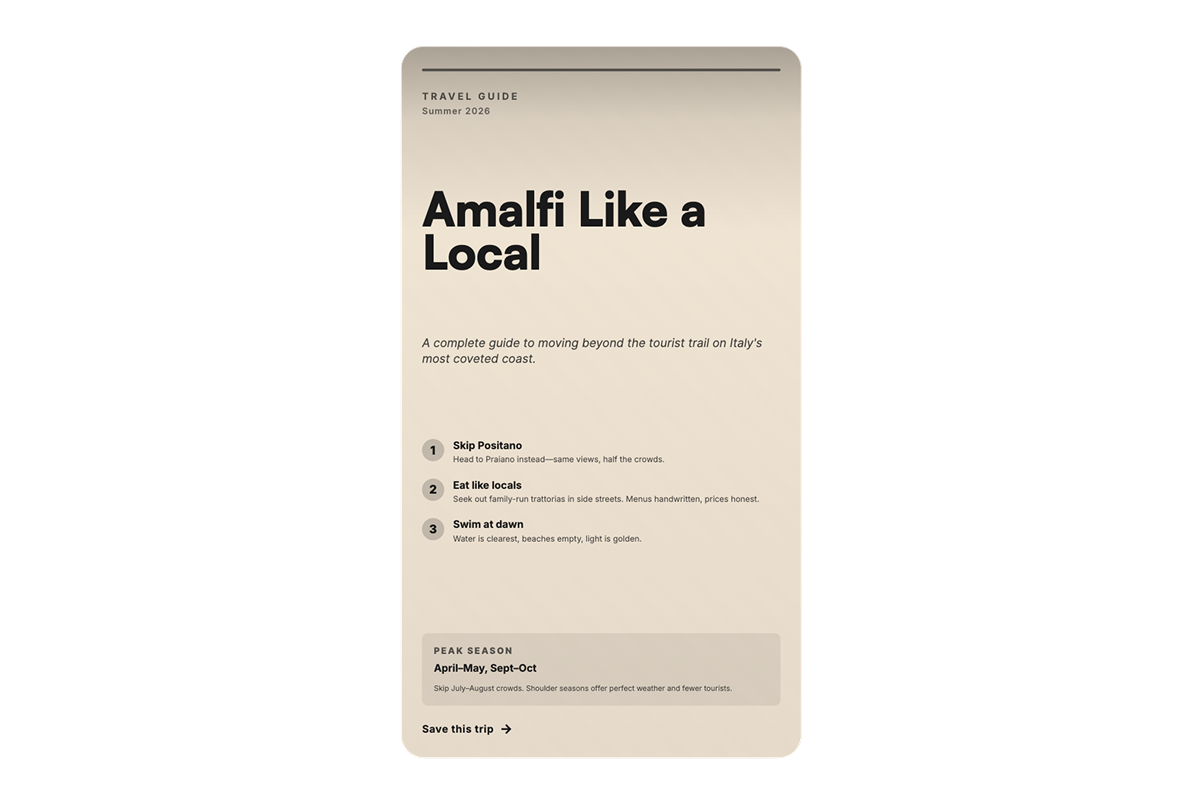
As you might have guessed, not every article translates equally well into video. A brief exposé on a specific destination is a great source for repurposing. But, a long-winded statistical analysis might present more of a challenge. Understanding which formats convert most naturally, and which require more creative adaptation, will be the foundation of an efficient repurposing strategy.
Listicles and ranked content
"The 10 Best Goals of 2025." "7 Signs Your Business Is Ready to Scale." "The 5 Worst Mistakes People Make When Visiting Paris." Listicle formats are practically pre-edited for vertical video. Each item in the list becomes a natural cut point. They are easy to understand at speed, they reward the viewer for watching to the end, and they perform exceptionally well in short-clip formats for Stories and Reels. So, if you plan on making a batch of repurposed articles, treat these as priority one for your vertical video pipeline.
Explainer and how-to articles
"How To Plan Your Trip To NYC." "What Is the Difference Between a Foul And a Tackle?" "How to Negotiate Your Salary in a Recession." Explainers thrive in vertical video because viewers come to them with genuine curiosity and a willingness to learn. This format also works well at longer run times, especially if you know how to utilise storytelling. A thorough, well-paced explainer can hold viewer attention for three to five minutes in vertical format, especially if it uses text overlays, simple graphics, or data visualizations. And if there are specific points made, you can always look to separate the video into shorter clips.
Data-driven and research-backed features
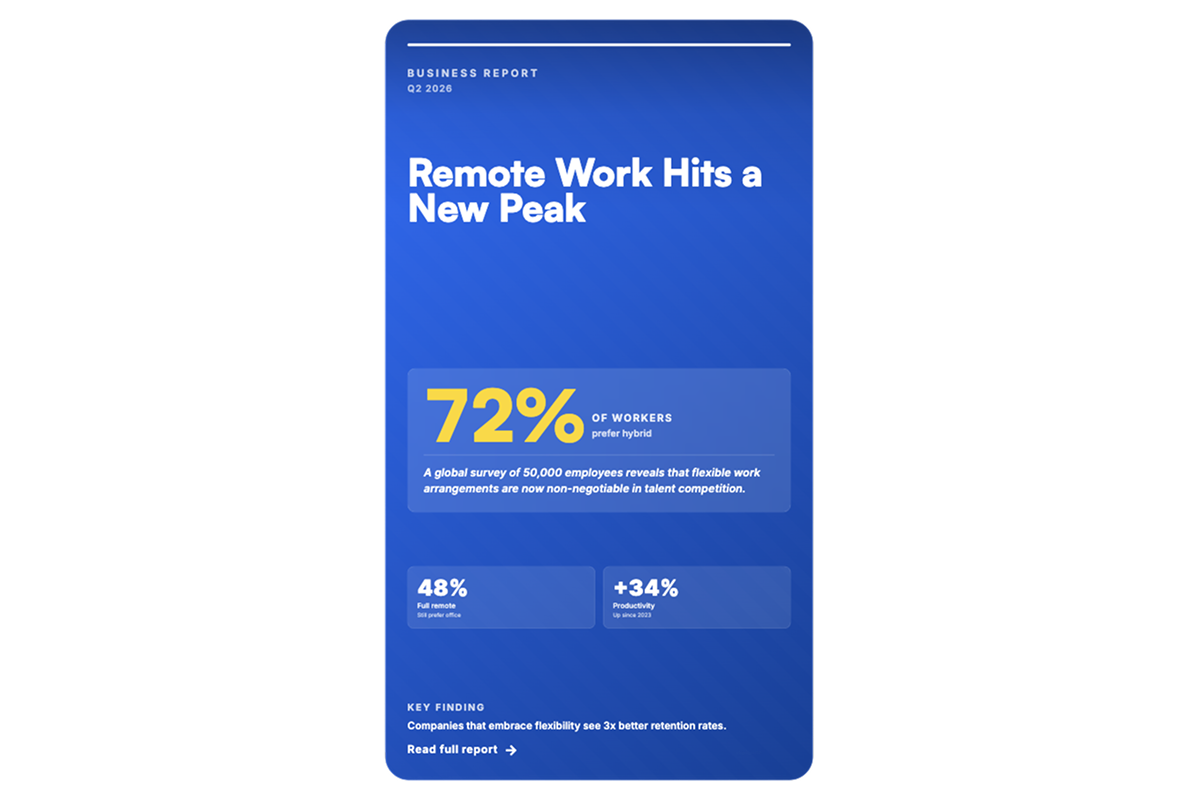
Analytics can be made into interesting videos, but doing so will take some work. Articles built around original data, surveys, or research translate well into longer vertical video formats. Data stories can lend themselves to motion graphics and animated charts, which are visually engaging in portrait mode and give the video a polished, authoritative feel.
Breaking news summaries and briefings
As many news publishers can confirm, fast-moving news events generate enormous social video consumption. A summary of a major story (the key facts, the stakes, the context) can be produced quickly from a published article and distributed as a short Story clip or Reel. The window of relevance is short, so speed is the priority.
Building the workflow for article repurposing
While you should build your own workflow for repurposing articles, we would advise that you consider the following steps. After all, repurposing written content into a different format is no means a new idea. And you'll do well to learn from other people's experiences.
Step 1: Identify and tag suitable articles for video
As we mentioned before, not every article needs a video version. Once you start going through your content, we would advise that you create a simple scoring system. That way, you can easily identify which content is most video-ready and which should remain in writing. We've given you the general idea of which articles tend to translate well into videos. But we would also invite you to consider factors like:
- Does it have a clear narrative structure?
- Does it cover a topic with strong search potential?
- Is it a listicle, explainer, or data story?
- Is the information still timely?
Many of our clients find it useful to add a "video potential" tag in their articles. That way, you can integrate building the repurposing pipeline directly into the editorial workflow.
Step 2: Match content to format
Use the frameworks we've outlined earlier to match each piece of content to the right video format:
- Listicles and how-tos → short-form Story clips, Reels series
- Explainers and data features → long-form vertical video
- News analysis → quick Story summary clips
Step 3: Going at it with the right tools
Once you've picked your article and decided on the video format suitable for it, the time has come to make use of some AI tools. Of course, you can go the puritan route and avoid AI, as the extensive use can cause serious problems for both your brand and society at large. But, let's assume that you'll use AI responsively, and that you'll oversee all the output it gives you to ensure it is inline with your brand messaging.
From here, the people typically start with AI writing tools like ChatGPT or Claude to adapt long-form text into concise, conversational scripts. Once that is done, you can use tools like Descript or CapCut to handle recording and editing. If you are looking to add animation, Canva will likely be your tool of choice.
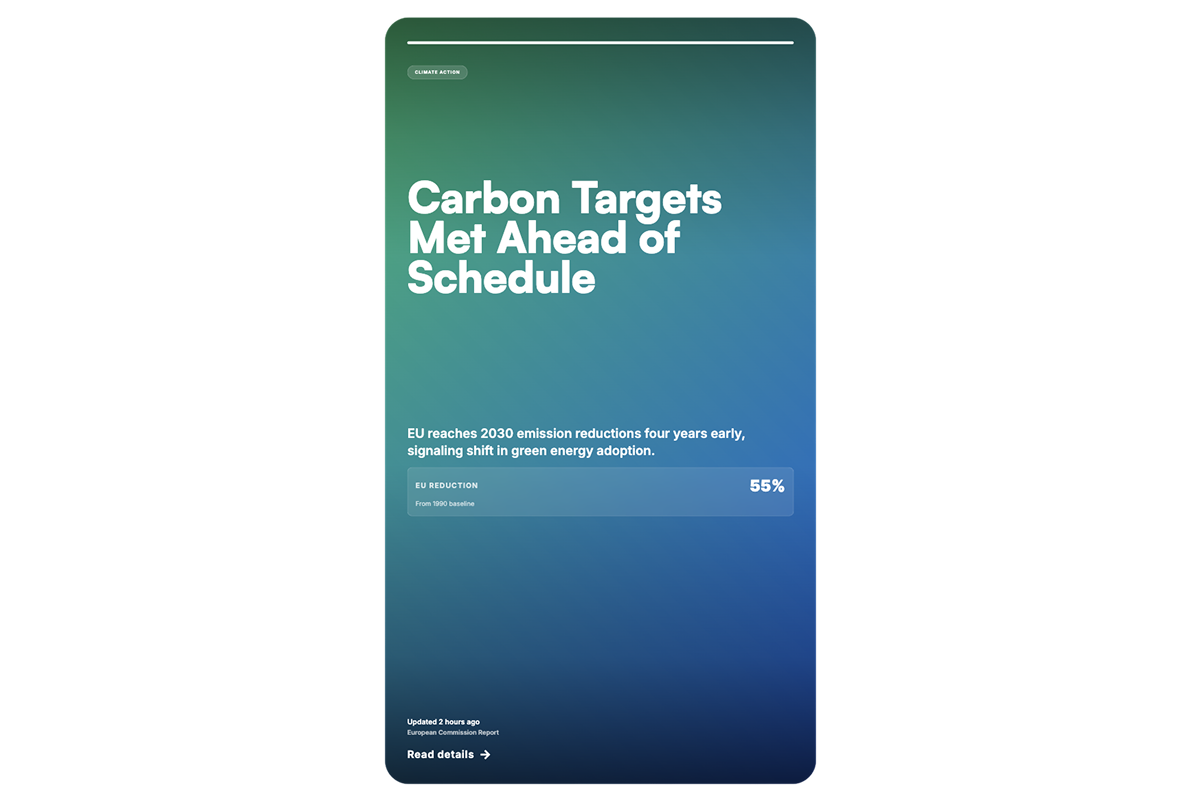
Another route to take is to rely more heavily on the StorifyMe assistant. This is our purpose-built solution for publishers, which automatically transforms articles into interactive, story-like video formats. With a bit of preparation, you can ensure that they are on-brand and ready for multi-platform distribution. Once exported, scheduling tools like Buffer can handle the rest. The key advantage of this stack is speed: what once took days of production can now be reduced to hours, allowing editorial teams to scale video output without scaling headcount.
Step 4: Review and analyze to learn what to change
It may happen that right after posting your video you see astounding success with no need for improvement. But you shouldn't bet on it. Instead, see that you have a tool or two to help you analyse your videos and learn how to create better content.
You should start by closely monitoring watch time and drop-off points. These reveal exactly where viewers lose interest, signaling weak hooks, pacing issues, or irrelevant segments. Click-through rate on thumbnails and titles is equally critical, as it determines whether the video gets watched at all. For short-form content, completion rate is the guiding metric.
Step 5: Reworking
Once some time passes, it will be worth revisiting underperforming videos. Something like fresh intros, updated CTAs, or tighter edits can bring them back to life, rather than scrapping them entirely. When it comes to A/B testing, the highest-impact variables to test are:
- Thumbnails — face vs. no face, text overlay vs. clean image. See which fits best with your brand.
- Hook (first 3–5 seconds) — question-based vs. bold statement vs. visual surprise. You shouldn't use one hook for all videos. Different topics function better with different hooks.
- Video length — full explainer vs. condensed version for different platforms. A single article can be repurposed into multiple videos.
Common pitfalls to avoid
Even well-resourced teams make predictable mistakes when launching a video repurposing program. Here are the most common ones.
Trying to compress the full article into a single video
Even though it is the simplest option, understand that the video is different from an article. The goal is to translate the value of an article, not its content verbatim. Select one key idea for a Story clip, one strong narrative arc for a long-form video. Let the article be the full treatment; let the video be the invitation.
Ignoring audio accessibility
A significant portion of vertical video is consumed on mute. Every video produced from an article should have subtitles or text overlays that make the content fully accessible without sound.

Producing without a distribution plan
Creating a video is only half the equation. Each piece of video content needs a clear home. Before production begins, you should have a clear idea of how you will distribute your videos. Every platform has different standards, and it is important to adhere to them from the start.
Skipping the hook
In vertical video, the first three seconds determine whether a viewer stays or scrolls. Every video produced from an article should open with its most compelling moment. Not a logo animation, not a slow introduction, not context-setting... Lead with the most interesting thing you have.
Final thoughts
The editorial teams winning the vertical video moment are not necessarily the ones with the biggest production budgets. They are the ones who have figured out how to treat their existing content library as a strategic asset. Get a clear idea of which content to prioritize. Outline the right workflow. Acquaint yourself with AI-powered tools like the StorifyMe assistant. And you are set. Even a relatively small editorial team can maintain a robust vertical video presence without adding a single headcount. The content already exists. The audience is already watching vertical video. The only thing left is to build the bridge between the two.