Quarterly Roundup: When Stories Become Part of the User Journey
Explore new StorifyMe features that help teams guide, personalize, sync, scale, and optimize Stories across apps and websites.
Stories are no longer simply brief segments of content that users quickly scroll through.
They can guide onboarding, support campaigns, highlight the right offer, bring fresh content into your own channels, and help users take the next step. That might mean reading more, subscribing, shopping, engaging, or returning later.
In the past few months, we’ve rolled out updates that make StorifyMe more flexible and customizable, and easier to fit into your team’s workflow. These updates are designed to integrate seamlessly with the tools and systems your team already uses, making adoption and transition simple. These changes help teams get started faster and make StorifyMe more useful for different organizations.
Here’s what’s new and how you can use it.
Turn Stories Into Guided Journeys
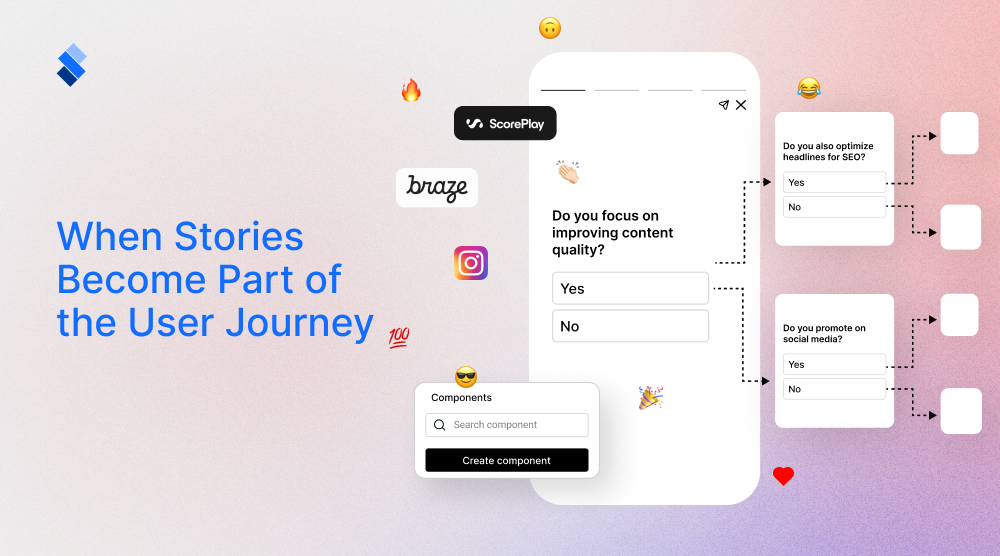
With Journeys, teams can connect Stories and Shorts into structured flows that guide users step by step.
Rather than showing separate Stories, you can build connected experiences for onboarding, education, product discovery, campaigns, conversion, or retention. Each Story fits into a bigger flow, guiding users from one step to the next with purpose.
How you can use it:
- Guide new users through app onboarding
- Create step-by-step product education flows
- Lead readers from free content to subscription offers
- Build multi-step campaigns around product launches, events, or promotions
- Help users discover features, services, or benefits in a more captivating format

After you create a journey, the next question is: who should see it?
Show the Right Story With Dynamic Segments
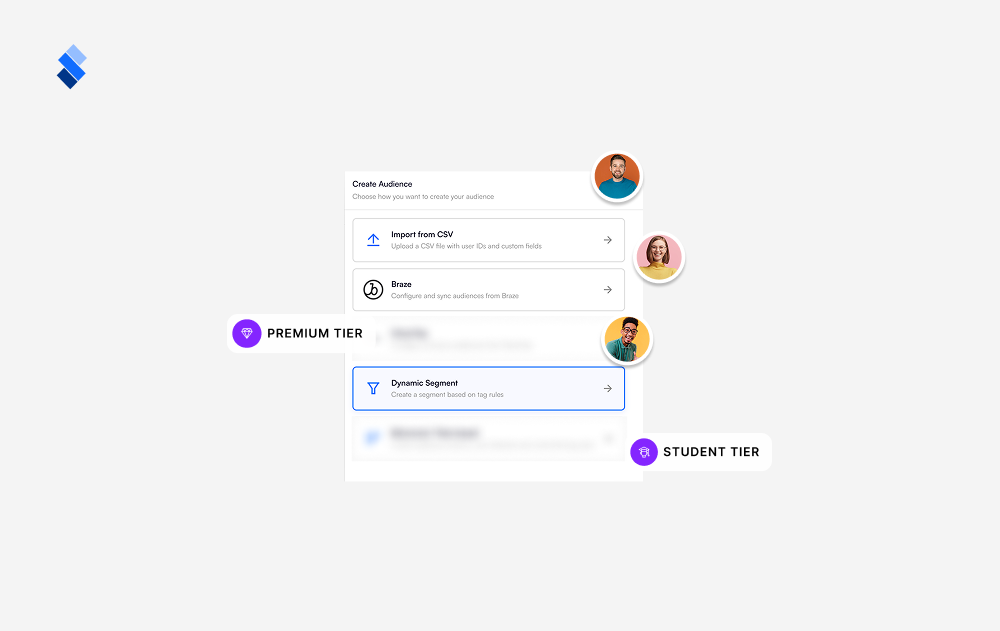
With Dynamic Segments, teams can create audience groups inside StorifyMe based on behavior, interests, lifecycle stage, loyalty tier, or other user data.
Instead of showing the same Story or Short to everyone, teams can tailor content for different users. This makes each experience more relevant and helps campaigns feel timely, personal, and connected to what users care about.
How you can use it:
- Show subscription prompts to frequent readers
- Promote different offers to new and returning users
- Show loyalty content to premium members
- Personalize product Stories based on browsing behavior
- Create different onboarding flows for different user groups
If your team already manages audience data outside StorifyMe, personalization is even easier.
Use Existing Audience Data With Braze/CDP Sync
With Braze/CDP Sync, teams can bring existing audience segments into StorifyMe and use customer data to create increasingly personalized Stories and Shorts.
Instead of rebuilding targeting rules by hand, marketing, CRM, and growth teams can use the segments they already have. These might be based on lifecycle stage, behavior, loyalty status, campaign eligibility, product interest, or other customer details.
This helps teams keep messaging aligned across channels, from push and email to in-app Stories, web Stories, and Shorts.
How you can use it:
- Align Story campaigns with push, email, and in-app messages
- Target users by lifecycle stage, loyalty tier, or product interest
- Launch personalized campaigns faster using existing segments
- Keep Story experiences consistent with your customer engagement strategy
Dynamic Segments and Braze/CDP Sync work together to help teams move beyond one-size-fits-all content and create more relevant Story experiences. Personalization isn’t always about showing more content. Sometimes, the best experience is a single focused message in the right place.
Want to see how personalized Stories could work inside your app or website? Book a demo and we’ll show you real use cases for your audience.
Highlight One Key Message With the Single Story Widget
With the Single Story Widget, teams can display one specific Story as a standalone experience.
This is helpful when you want to highlight a single campaign, product, article, offer, sponsor message, onboarding step, or CTA without showing the full carousel. Rather than asking users to browse through several Stories, teams can put one important message right where it matters.
How you can use it:
- Promote one offer on a homepage
- Add a subscription CTA inside an article
- Highlight a sponsor message or product launch
- Show one onboarding tip inside a product flow
- Keep attention focused on one definite action
After teams can guide, personalize, and focus the Story experience, the next step is making it easier to bring content into StorifyMe.
Bring Instagram Content Into Owned Channels
Many teams already make great vertical content for Instagram. With Instagram Auto-Sync, you can now use that content more effectively inside your own app or website.Instead of downloading Instagram content and uploading it again by hand, teams can sync content into StorifyMe and reuse it as Stories or Shorts across their own channels.
With Scheduled Auto-Sync, teams have more control over timing. Campaign content, product drops, editorial moments, or event updates can go live exactly when they matter most.
How you can use it:
- Reuse Instagram videos inside your app or website.
- Keep website Stories fresh with social content.
- Extend campaign content from social to owned channels.
- Schedule content around product drops, events, or match days.
- Bring social-style content into a space where you own the audience experience.
Already creating vertical content for social? See how StorifyMe helps you bring it into your owned channels.
For sports teams, fresh content is even more time-sensitive. That’s where ScorePlay comes in.
Move Faster From Sports Media to Fan Experiences
For sports teams and organizations, content is most valuable while the moment is still happening.
With ScorePlay Integration, teams can bring media assets straight into StorifyMe and turn them into Stories or Shorts more quickly. Instead of downloading match-day photos, videos, highlights, player content, or sponsor assets from one platform and uploading them to another, teams can access media faster and publish fan-facing content while it’s still relevant.
How you can use it:
- Publish match-day highlights faster.
- Turn player photos or videos into fan-facing Stories.
- Create sponsor content from approved media assets.
- Keep app and website content fresh during live events.
- Bring behind-the-scenes moments inside owned channels faster.
Along with integrations that help teams move faster, we’ve also added updates to make Story creation easier to scale.
Build Faster With Reusable Components
It’s easier to create Stories at scale when teams don’t have to rebuild the same design elements over and over.
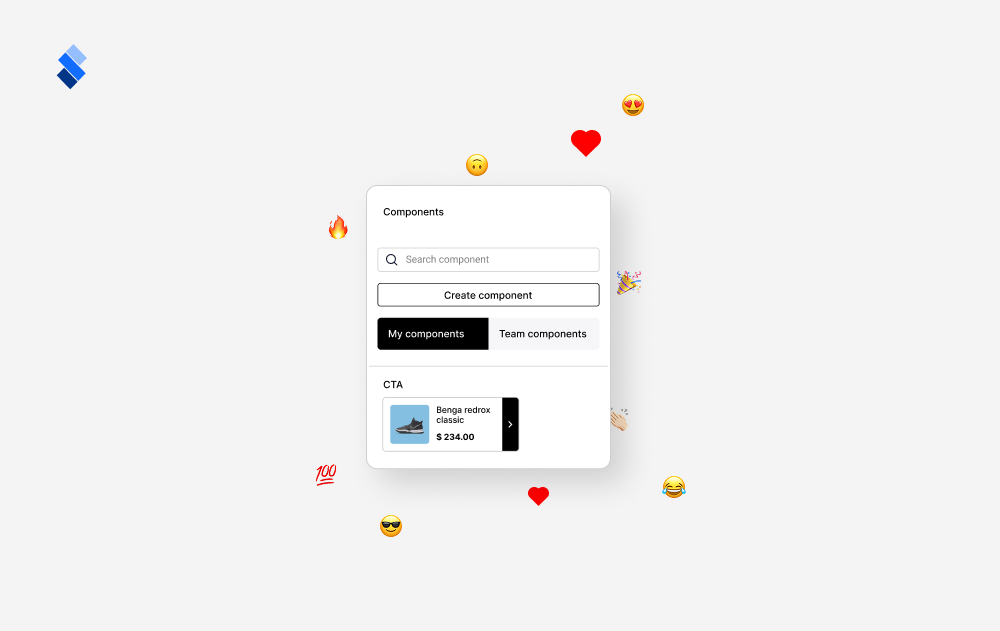
With Reusable Components, teams can save branded design elements like product cards, CTA blocks, headers, offer layouts, or branded sections and reuse them in future Stories. This helps teams work faster, stay consistent, and makes it easier for more people to create on-brand content.
How you can use it:
- Save product cards, CTA blocks, or branded layouts.
- Keep Stories visually consistent across campaigns.
- Help teams create faster without starting from scratch.
- Make it easier for new team members to follow brand guidelines.
Once users are engaging with Stories, teams can also gather more feedback about what works.
Gather Instant Feedback With Reactions
Stories are more compelling when users can respond in the moment.
With Reactions, users can show how they feel about a Story using simple social-style interactions, just like on Instagram or TikTok. For teams, Reactions do more than make the experience social, they provide real-time signals about what your audience likes.
Instead of waiting for analytics reports or asking users to fill out surveys, you get immediate feedback. If a product gets lots of ❤️ or your messaging connects with 😍, you have actionable insight in seconds.
How you can use it:
- See which products or offers users respond to most.
- Understand what messaging, design, or content creates stronger emotional effects.
- Validate campaigns before wider rollout (reactions = early signal of what works).
- Collect sentiment data without friction. No forms, no surveys—just tap and react.
- Make Stories feel more like a conversation than broadcast.
This turns Stories from one-way communication into two-way engagement. Users feel heard, and teams get more accurate data. Along with new ways to guide, personalize, sync, scale, and gather feedback, we’ve also improved the details that make every experience smoother.
Make Every Story Experience Feel Smoother
We improved how widgets and Stories load, feel, and carry over from one moment to the next.
Widgets now offer a more polished loading experience, with subtle visual effects that make content feel smoother right from the start. Instead of empty or static loading screens, users get a smoother transition into the Story experience. We also improved Story and ad preloading. While a user is watching one Story, StorifyMe can load the next Story or ad in the background. If an ad is available, it appears next; if not, the next Story continues automatically.
These updates may seem small in the interface, but they make a big difference overall. Stories feel faster, smoother, and more natural in your app or website.
More Control for Branding, Analytics, and Performance
We also added improvements that help teams manage Stories at scale.
Expanded font options make it easier for brands to keep Stories and Shorts in line with their visual identity. Teams can upload fonts manually, add them by URL, and choose specific font weights. This is especially helpful for brands with custom typography or strict brand guidelines.
Analytics filtering has also been improved, giving teams a clearer way to review performance and understand how Stories, Shorts, and widgets are working.
Other improvements include infinite scroll in the media library, seen state configuration, haptic feedback, and optimized image loading. All of these are designed to make StorifyMe easier to use and give end users a better experience.
Building More Meaningful Story Experiences
All of these updates have the same goal: making Stories fit more closely with the full user journey.
Teams can now guide users with Journeys, personalize experiences with Dynamic Segments and Braze/CDP Sync, focus attention using Single Story Widgets, reuse Instagram content, bring sports media into StorifyMe faster, build faster with Components, collect feedback with Reactions, and deliver smoother experiences across apps and websites.
Whether your goal is onboarding, engagement, conversion, monetization, or content distribution, StorifyMe now gives you more ways to turn Stories into meaningful moments for your users.
Ready to turn Stories into a bigger part of your user journey?
Book a demo to explore how StorifyMe can help you guide, personalize, and optimize every Story experience across your app and website.